


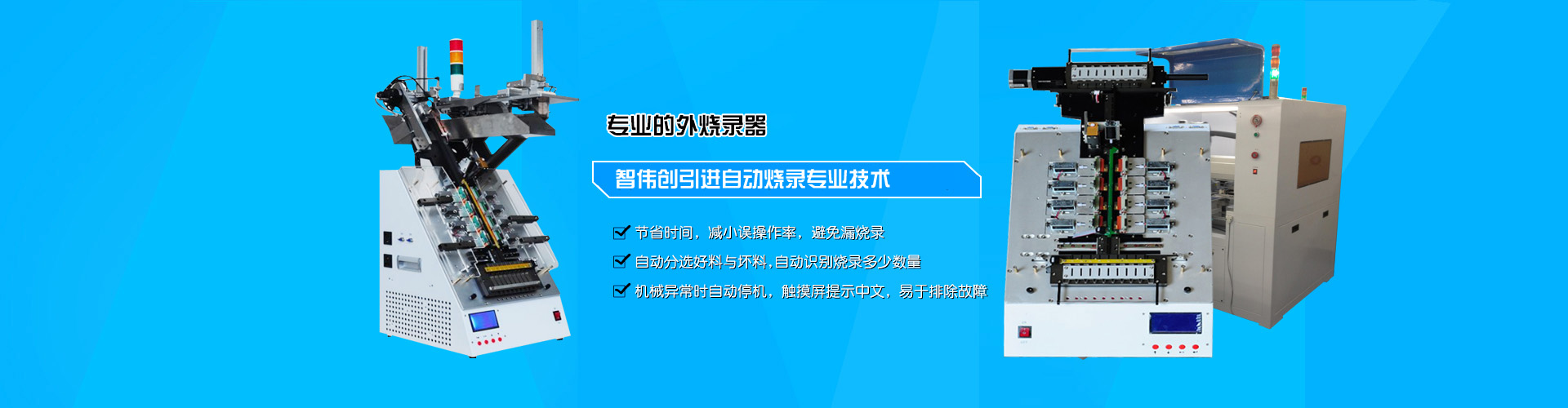


What is a Burner Device? Some friends may be unfamiliar with the burning industry and may not understand what a burner device is. Here, Xiao Luo gives you a brief introduction to the burner. Before discussing the burner, it's important to understand the concept of burning: what is burning?
The term "burning" can be understood as a synonym for "burning." As everyone is familiar with DVDs and CDs, it should also be clear that the process of copying data onto these discs is called burning. Generally, it refers to the process of using a burner to burn data onto a burnable disc. Therefore, burning can also be accomplished by burners or burn cards; it's essentially the same process, and in the semiconductor industry, different names arise for the same activity.
Chips, as processors, require programs to miniaturize all components into one or several integrated circuits. An integrated circuit can accept encoded instructions at one or more ends, execute these instructions, and output signals that describe its state. The process of storing the program in this integrated circuit is known as chip burning. Once you understand the concept of burning, it becomes clear that a burner is a tool that writes data onto programmable integrated circuits. Burners are primarily used for programming microcontrollers (including embedded systems) and memory chips (including BIOS), which are often referred to as flashing. Since the blank chips are being programmed, they are naturally categorized as electronic devices, belonging to the category of development equipment.
The programmer primarily modifies the program in the read-only memory. Programmers are usually connected to computers and used in conjunction with programming software. The basic setup for using a programmer to copy data to a memory device includes: a computer (the requirements for the computer are not high; generally, any computer capable of running the Windows 98 operating system will suffice), a programmer, and the corresponding driver software for the programmer.
Briefly explain the three steps of using a burner:
Connect the burner to the computer. The connection methods between different burners and computers may vary; some burners are connected to the computer's printer port, while others are connected to the computer's serial port (COM1 or COM2), and some use the USB interface.
Install the driver software for the burner onto the computer and configure the burner according to the requirements.
Operate and run the burner driver software to read the required data stored on the computer as the data source.